New-user guide
Five journeys from first scan to shipped badge.
Skill Crossroads grades Claude Code artifacts — skills, subagents, slash commands, MCP configs, and plugins — against an evidence-cited rubric, then points you one of three ways: ship, fix, or rethink. These are the five things new users actually do, in the order they usually do them. Every screenshot below is the real product.
- 1Scan any public repo — free, no signup30 seconds
- 2Read the scorecard and fix from receipts10 minutes
- 3Put the live badge in your README2 minutes
- 4Paste-to-scan when there's no repo yet1 minute
- 5Gate pull requests in CIone workflow file
Scan any public repo — free, no signup.
The homepage is the product. Type any GitHub owner/repo that contains Claude Code artifacts and you get a graded scorecard for everything in it — yours or anyone's, before you install it.
What you do
- Go to skillcrossroads.com
- Enter
owner/repo(tryanthropics/skills) - Press Scan
What you get
- A letter grade per artifact and for the repo
- Six rubric categories, weighted and scored
- No account, no key, no install — deterministic checks run free
# the same journey in the terminal — no clone needed
npx skillcrossroads anthropics/skills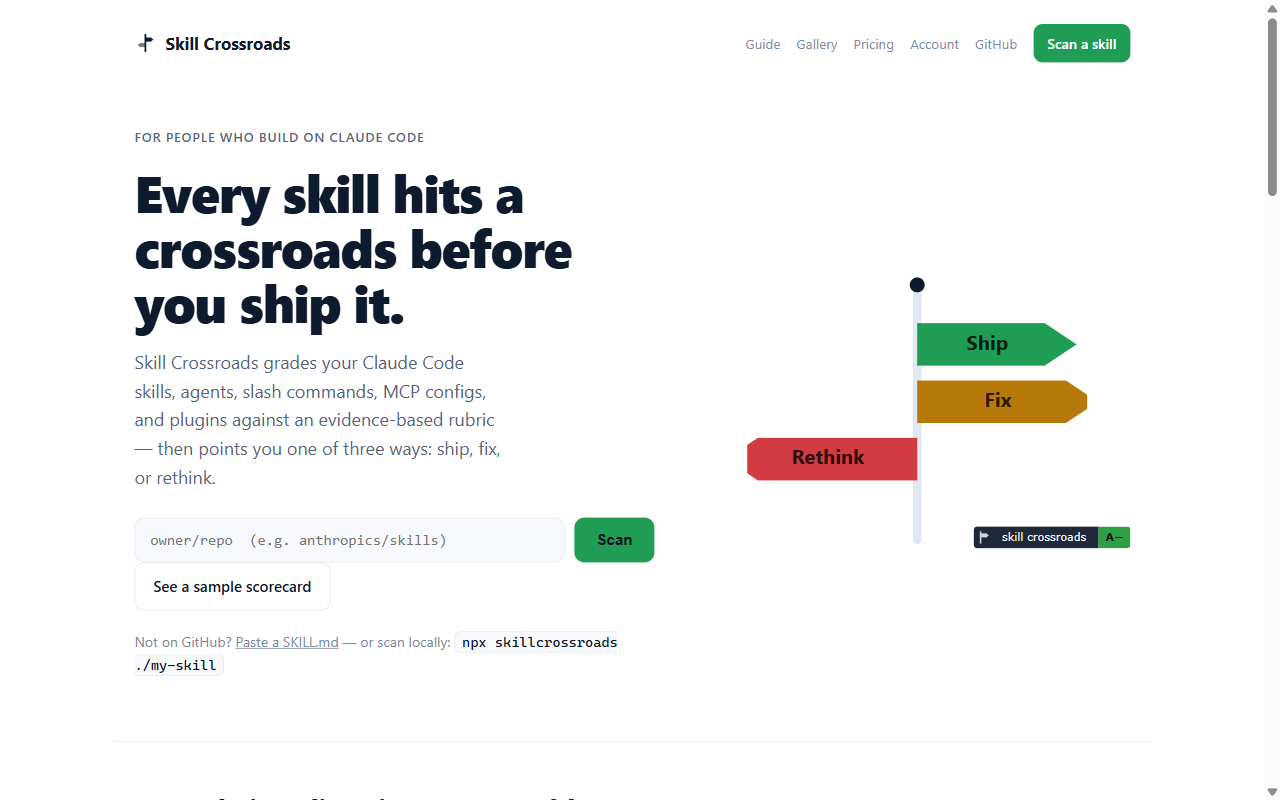
Read the scorecard — then fix from receipts, not vibes.
Every finding is cited to a file and line, with the evidence quoted and a concrete fix. The “Top fixes” list is ranked by grade impact, so ten minutes of work goes where it moves the score most. Each check links to its own reference page.
What you do
- Open the top fix — it names the exact
file:line - Apply the smallest change that resolves it
- Re-scan; repeat until the grade stops improving
What you get
- Grade dial + six category bars
- Evidence-cited findings with fix guidance
- With an API key,
--suggestproposes the fixes for you — never auto-applies
# real output — three skills, after one fix pass
$ npx skillcrossroads ./skills

  A+   97.2  meeting-notes-to-actions
  A    96.7  summarize-document
  A      96  research-synthesis

  average 96.6/100 across 3 skills
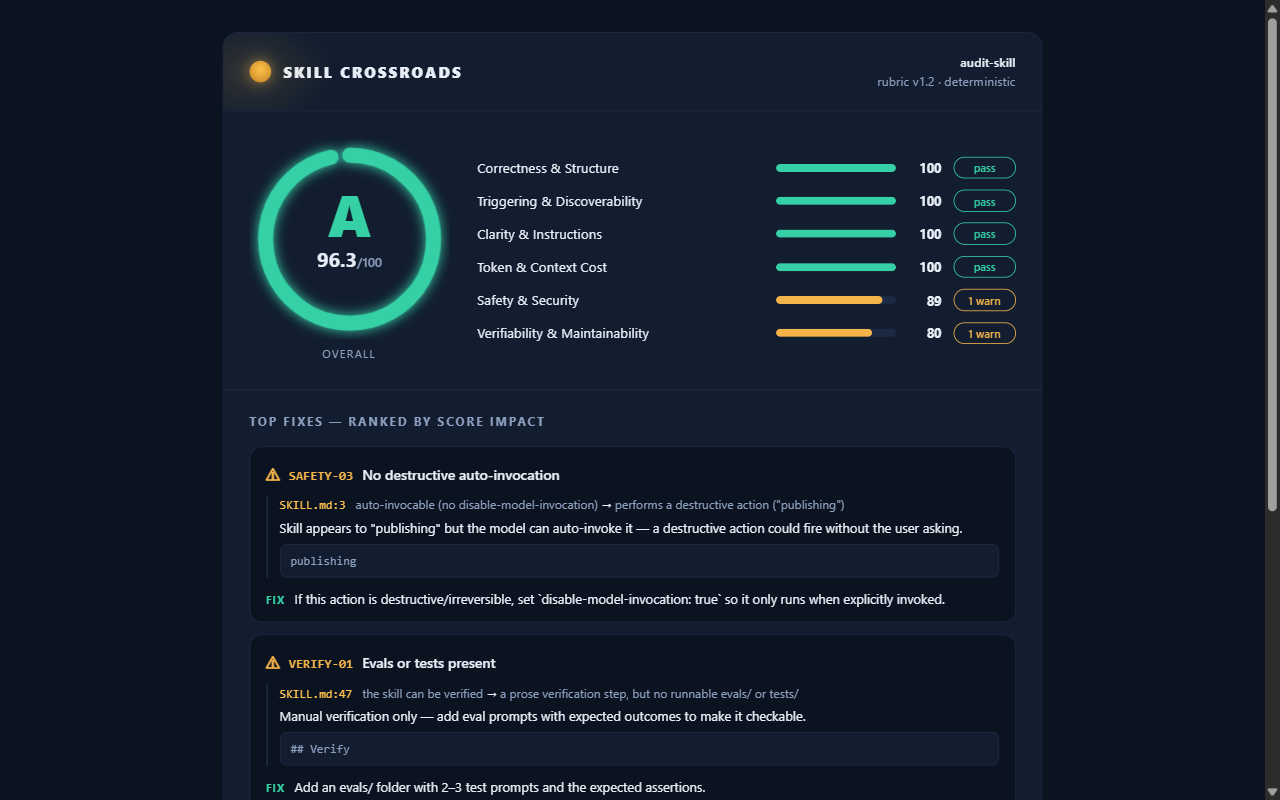
This scorecard is live: skillcrossroads.com/s/sgharlow/skillcrossroads/skill
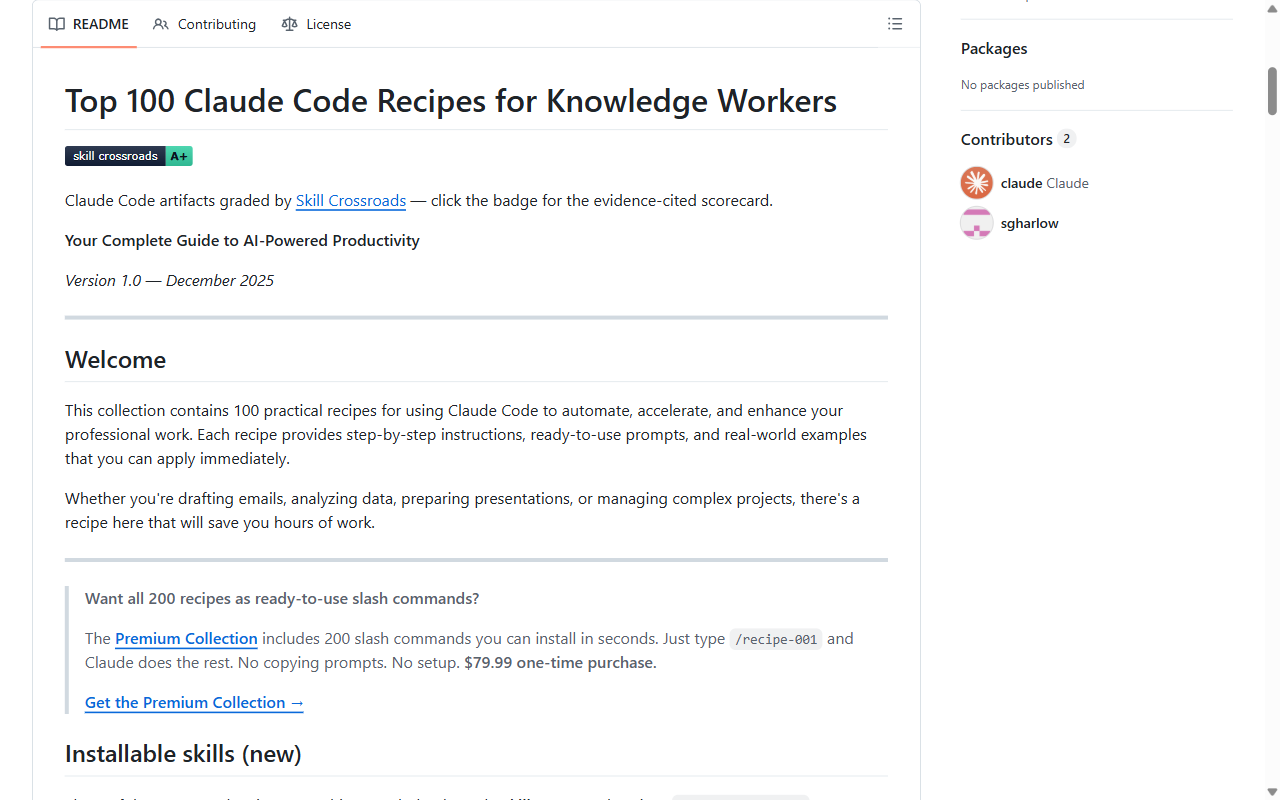
Put the live badge in your README.
One command inserts an always-fresh badge under your README's title — it re-scans on its own, links to your public scorecard, and tells everyone who lands on your repo that the quality claim is checkable. The CLI never commits; you review the diff and push.
What you do
- In your repo:
npx skillcrossroads init - Review the one-line README diff
- Commit and push
What you get
- A live grade badge that stays current with no further action
- A click-through to your evidence-cited scorecard
- The badge is how good work gets discovered — this is the loop
$ npx skillcrossroads init --dry-run   # preview first
$ npx skillcrossroads init             # inserts the badge under your H1
Paste, scan, fix — before the repo exists.
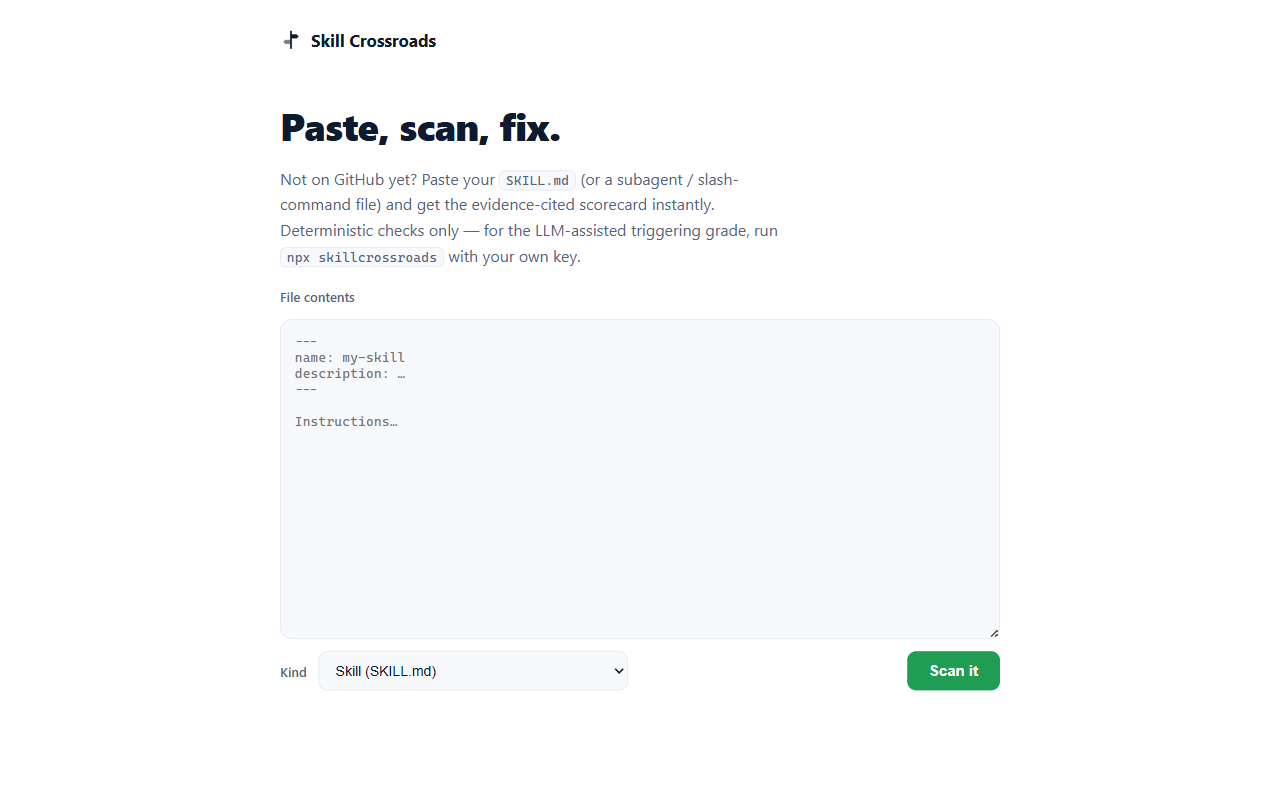
Drafting a skill in an editor and not on GitHub yet? Paste the SKILL.md (or a subagent / slash-command file) and get the scorecard instantly. Pasted content is graded in memory and never stored — see how we handle your code.
What you do
- Open skillcrossroads.com/paste
- Paste the file, pick the artifact kind
- Press Scan it
What you get
- The same evidence-cited scorecard, instantly
- Deterministic checks — free, keyless
- Nothing recorded: paste-to-scan keeps no copy
Gate pull requests in CI.
The GitHub Action scans on every PR, posts the scorecard as a comment (updated in place, with inline file:line annotations), and can fail the build when any artifact grades below your bar. Quality stops regressing the day you add one workflow file — and the Action is free.
What you do
- Add the workflow below to
.github/workflows/ - Open a PR that touches a skill
- Read the scorecard comment; merge when green
What you get
- A scorecard comment on every PR
- Inline annotations at the exact lines
- A hard gate:
min-gradefails PRs below the bar
# .github/workflows/crossroads.yml
- uses: sgharlow/skillcrossroads/apps/action@v1
  with:
    path: ./skills
    min-grade: B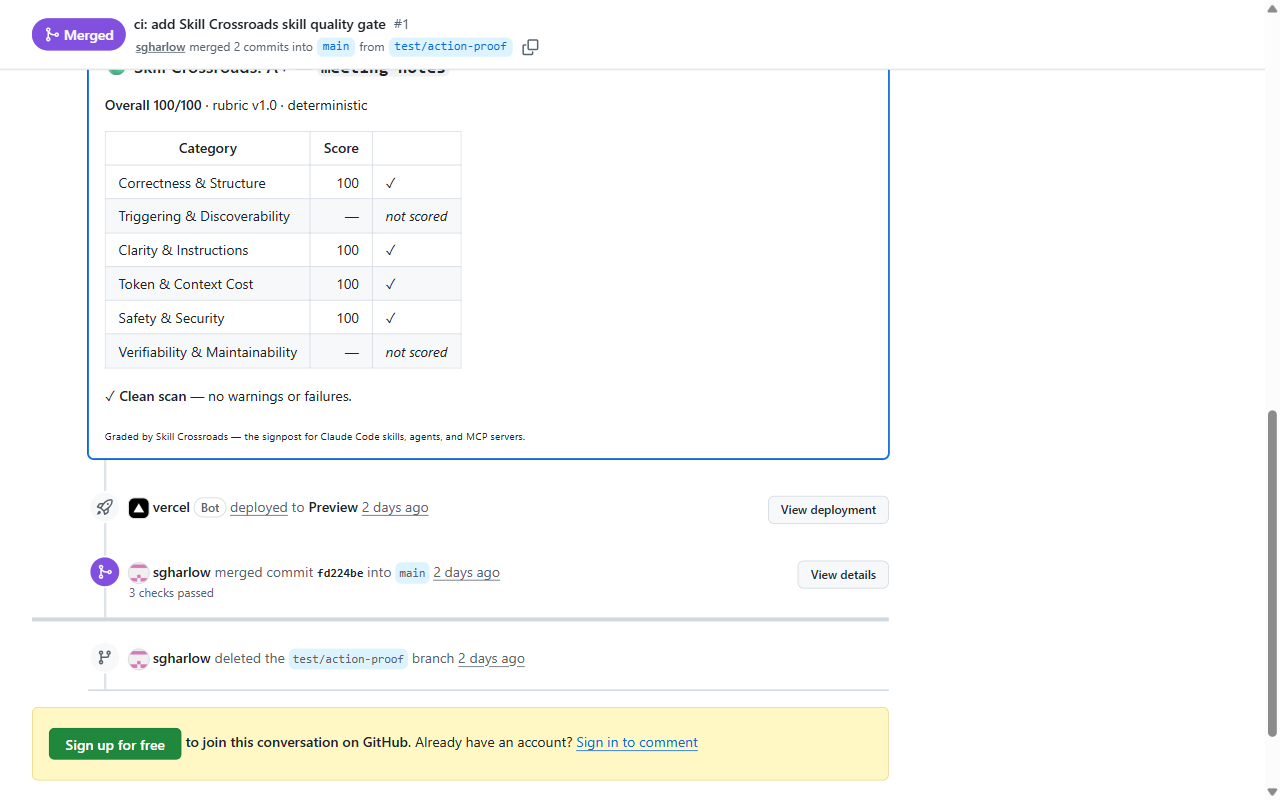
A real PR, gated and merged: github.com/sgharlow/skillcrossroads/pull/1